
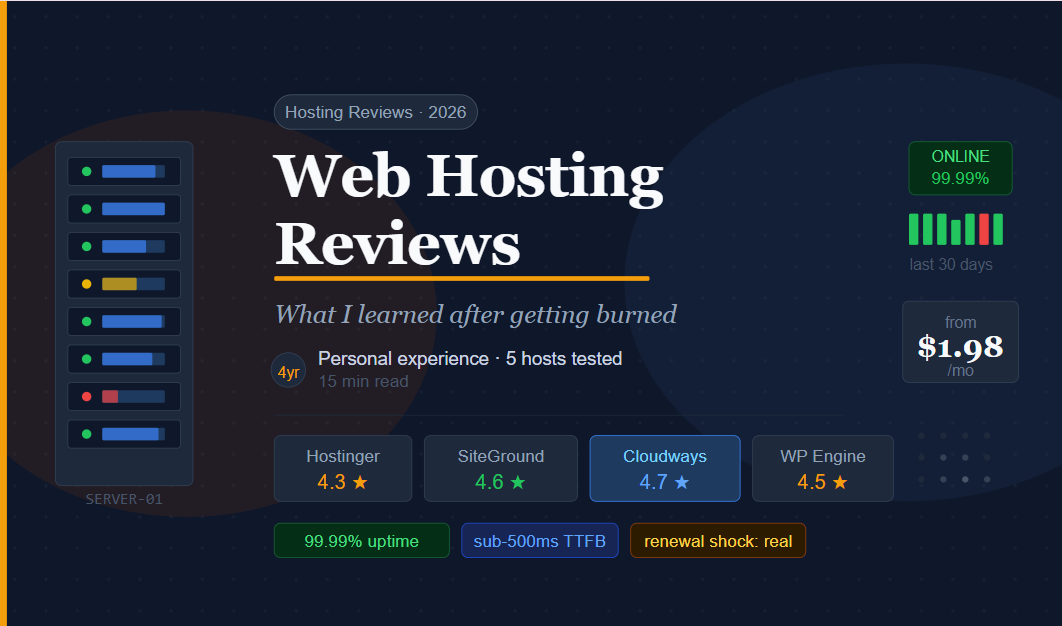
The first time my site went down, I was in the middle of a product launch. I’d spent three weeks on the campaign, built an email sequence, set up a landing page — and right when traffic was supposed to hit, the site went offline. For six hours. My host’s support told me I’d “exceeded shared resources.” I didn’t even know what that meant.
That was four years ago. Since then I’ve migrated across five different hosts, built sites for clients on three others, and learned the hard way what separates good hosting from hosting that just sounds good in a banner ad.
This isn’t a list of specs copied from sales pages. It’s what I actually noticed after months of real use on each platform.
“Choosing a host based on price alone is like choosing a car based on the color of the brochure.”
Why hosting reviews online are mostly useless
Let me be honest about something before we start: most hosting review sites are affiliate-driven. The host with the biggest commission check gets the five-star review. I’m not saying every review is fake — but the incentive structure means you should be skeptical of any ranking that’s suspiciously enthusiastic about the cheapest option.
What I’ve tried to do here is share what I personally experienced — uptime issues I encountered, speed benchmarks from my actual sites (not lab tests), support interactions I had, and the moments where I switched and why.
The hosts I’ve actually used — honest reviews
1. Hostinger Best value 4.3 / 5
Hostinger is where I send first-time site owners when budget is their main concern. At $2–4/month for shared hosting, the price is genuinely hard to argue with. What surprised me is that the performance isn’t bad — not great, but not the “you get what you pay for” disaster I expected.
I’ve run a niche blog on Hostinger for 18 months. Page load times averaged around 700–900ms on their Business plan, which is acceptable for a low-traffic content site. The hPanel interface is arguably better than cPanel — cleaner, faster, less intimidating for beginners.
Where Hostinger struggles: customer support quality is inconsistent. I’ve had genuinely helpful chats and also chats where I got copy-pasted responses that didn’t address my actual problem. Their LiteSpeed cache setup is excellent when it works, but the initial configuration isn’t obvious for beginners.
Strengths
- Extremely affordable pricing
- Clean hPanel interface
- Good performance for the price
- LiteSpeed servers on most plans
Limitations
- Support quality varies
- Renewal rates jump significantly
- Daily backups cost extra on basic plans
From $2.99/mo introductory — renews ~$8–12/mo
2. SiteGround Best support 4.6 / 5
SiteGround was my main host for two years and I have nothing but good things to say about the support. I’ve contacted them at 2am with a broken migration and had a genuinely competent person fix the issue within 20 minutes. That’s rare in this industry.
Performance is strong. Their proprietary SuperCacher and the Google Cloud infrastructure they migrated to a few years back means pages load fast — I consistently saw under 500ms TTFB on their GrowBig plan. They also handle traffic spikes well; shared plans don’t melt under load the way some cheaper hosts do.
The downside is price. SiteGround’s renewal pricing is brutal — introductory rates look reasonable, then triple at renewal. I moved a client off after their first renewal invoice shocked them. If you’re okay paying for quality, SiteGround is genuinely excellent. If you’re watching every dollar, the renewal shock is real.
Strengths
- Outstanding customer support
- Fast load times on all plans
- Google Cloud infrastructure
- Excellent security features
Limitations
- Expensive at renewal
- Storage limits are low for price
- No monthly billing on basic plan
From $4.99/mo intro — renews ~$18–30/mo
3. Cloudways Best for growing sites 4.7 / 5
Cloudways is where things get interesting. It’s not traditional hosting — it’s a managed cloud platform that sits on top of providers like DigitalOcean, AWS, Google Cloud, or Vultr. You get the raw power of cloud infrastructure without needing to manage a server yourself.
I moved a mid-traffic WooCommerce store here after it kept crashing on shared hosting during sale events. On a $14/month DigitalOcean 2GB droplet, it handled 5x our normal traffic without flinching. The Breeze caching plugin (Cloudways’ own) is excellent for WordPress.
It’s not for absolute beginners — the interface is more technical than Hostinger or SiteGround. But if you’ve grown past shared hosting and want room to scale without paying WP Engine prices, Cloudways hits a sweet spot. No cPanel, no traditional hosting quirks — just SSH access, SFTP, one-click WordPress installs, and proper staging environments.
Strengths
- True cloud infrastructure (choice of provider)
- Scales easily with traffic
- Excellent staging environments
- Good managed WordPress features
Limitations
- Learning curve for beginners
- No domain registration or email hosting
- Support slower on free tier
From $14/mo DigitalOcean 1GB — no surprise renewals, pay-as-you-go
4. WP Engine Best managed WordPress 4.5 / 5
WP Engine is the premium managed WordPress host that actually earns its premium price — mostly. I managed a client’s e-commerce site here for a year and the uptime was flawless. Not “99.9% SLA” flawless — actually, genuinely never went down in 12 months.
The developer tools are excellent: one-click staging, git push deployments, automated daily backups with one-click restore, and a global CDN included. If you’re running a serious WordPress business and downtime genuinely costs you money, WP Engine is worth it.
What’s frustrating: the entry plan limits you to one site and 25,000 visits/month, which is oddly restrictive for the price ($30/month). The moment you go over on traffic or add a second site, costs jump significantly. And they don’t allow certain plugins (mostly caching plugins that conflict with their own system), which occasionally creates friction.
Strengths
- Rock-solid uptime
- Excellent developer tools
- Built-in CDN & backups
- Top-tier managed WordPress environment
Limitations
- Expensive for what you get on starter plan
- Visit limits on lower tiers
- Some plugins not allowed
From $30/mo Starter: 1 site, 25K visits/mo
5. Namecheap Hosting Best for side projects 3.8 / 5
Namecheap is where I host small side projects and client staging sites where I don’t want to spend much. At $2–3/month for shared hosting with a free domain included, it’s a solid option for low-traffic sites. I’ve had sites sitting on Namecheap for three years without a single issue.
The performance is average at best — fine for a simple portfolio or small blog, not suitable for anything that needs consistent speed. Their support is decent but not SiteGround-level. What they do well is price stability — renewal rates are much closer to introductory rates than some competitors.
Strengths
- Very affordable and stable pricing
- Free domain included
- Good for simple low-traffic sites
Limitations
- Average performance
- Support can be slow
- Not suitable for high-traffic sites
From $1.98/mo with free domain — renews ~$4–6/mo
Quick comparison
| Host | Speed | Support | Uptime | Best for | Entry price |
|---|---|---|---|---|---|
| Hostinger | Good | Average | 99.9% | Budget beginners | $2.99/mo |
| SiteGround | Excellent | Excellent | 99.99% | Quality shared | $4.99/mo |
| Cloudways | Excellent | Good | 99.99% | Scaling sites | $14/mo |
| WP Engine | Excellent | Excellent | 99.99%+ | Serious WP sites | $30/mo |
| Namecheap | Average | Decent | 99.9% | Side projects | $1.98/mo |
How to actually pick the right host
- Define your site type: personal blog, business site, WooCommerce store, or high-traffic content site. Each has different needs.
- Estimate realistic monthly traffic for year one. Under 10K visitors/month? Shared hosting is fine. 10K–100K? Consider Cloudways. Over 100K? Look at managed hosting or dedicated cloud.
- Set a real monthly budget — including the renewal price, not the introductory offer. Factor in what you’d actually pay after year one.
- Check if your platform (WordPress, WooCommerce, custom app) has specific hosting requirements or recommendations.
- Sign up for the shortest trial period available — most hosts offer 30–45 day refund policies. Test it with your actual site before committing.
- Run a few speed tests with tools like GTmetrix or Google PageSpeed Insights after migrating. Compare before and after.
- Intentionally contact support with a non-urgent question before you need them in a crisis. The quality of that interaction tells you a lot.
The renewal price test
Before signing up, search “[hosting name] renewal price” or check their terms page. Several major hosts advertise $2–4/month intro rates that renew at $12–25/month. That’s not deceptive if you read the fine print — but many people don’t. Knowing the real long-term cost is step one.
Mistakes I see people make constantly
Mistake #1 — buying based on “unlimited” claims
Every budget host advertises “unlimited storage” and “unlimited bandwidth.” Read the acceptable use policy. There are always soft limits, and when you hit them, your account gets throttled or suspended. “Unlimited” means “unlimited until it becomes a problem for us.”
Mistake #2 — not testing migration before cancelling old host
I lost a client’s contact form submissions for two weeks because I migrated without checking that email routing transferred correctly. Always run both hosts in parallel for at least a week before cancelling the old one.
Mistake #3 — skipping backups because “the host handles it”
Even hosts with automatic backups have limits — often they only keep 30 days, only restore whole accounts (not individual files), or charge extra for the restore. Use a plugin like UpdraftPlus or a service like BlogVault as a second independent backup layer.
Mistake #4 — over-buying on day one
I’ve seen people sign up for VPS hosting or dedicated servers when a $5/month shared plan would handle their traffic for two years. Start smaller than you think you need and migrate up when the data tells you it’s time, not when anxiety tells you.
Signs it’s time to upgrade your hosting
Google PageSpeed score dropping without code changes. Admin dashboard loading slowly even when frontend is fine. Support tickets about “exceeding resource limits.” Checkout pages timing out during busy periods. These are signals — don’t ignore them, but don’t panic-upgrade until you’ve diagnosed the actual bottleneck first.
After testing all of these, my personal setup is Cloudways for anything that needs to scale or handles transactions, SiteGround for clients who want to manage their own site and will need support, and Hostinger for personal projects where performance isn’t critical.
There’s no single best host. There’s only the best host for your specific situation, traffic level, technical comfort, and budget. Anyone who gives you a definitive “number one” without knowing those things is either guessing or selling something.
Start with what fits your situation today. Migrate when you outgrow it. Hosting decisions are reversible — don’t let analysis paralysis stop you from launching.